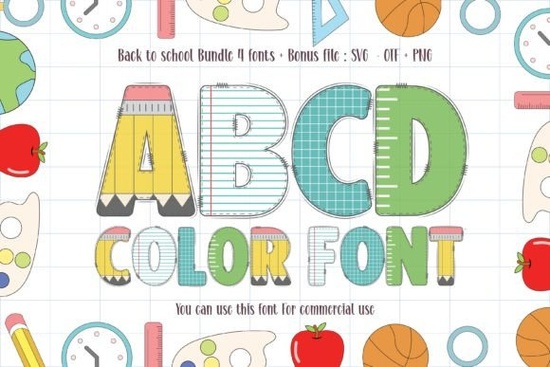
Crafting for the autumn season usually means shifting toward playful, kid-friendly aesthetics. When creating classroom materials, nursery decor, or custom t-shirts for kids, finding the right typography sets the tone for the entire project. The Back to School Font provides exactly what you need: thick lettering and a built-in color palette that saves time on designing. Instead of layering multiple SVG files to create a multi-colored text effect, this single font file handles the heavy lifting for your autumn campaigns. Small business owners and creative hobbyists know that workflow efficiency is just as important as the final look.
What craft projects work best with thick lettering?
When you work with vinyl cutters like Cricut or Silhouette, intricate scripts can sometimes cause tearing or weeding nightmares. A bold, heavy typeface solves this problem completely. The wide edges and solid shapes make weeding adhesive vinyl incredibly fast, which is perfect for small business owners producing high volumes of custom water bottles or lunch boxes. Furthermore, teachers love personalized items. Using chunky text for a coffee tumbler guarantees the design is readable from across a busy classroom.
Sublimation crafters will also appreciate the pre-colored design. Because the color details are baked into the letterforms, printing onto polyester tote bags or ceramic mugs yields a vibrant result without requiring you to manually map out five different hex codes. If you find yourself needing more variety for your seasonal product lines, browsing a wider selection of bright, playful typefaces can help you build a versatile design library for your shop.
How do color fonts work in standard design programs?
Many designers feel hesitant to use multi-colored typography because they are unsure how the files will behave in their software. These files are typically built using the OpenType-SVG format. When you type in modern programs like Adobe Illustrator or Photoshop, the text automatically renders with its original gradients, patterns, and colors intact.
However, there is a catch when using older design tools or specific web-based editors. Some platforms might only read the underlying black-and-white vector shapes, ignoring the color data. If your primary workspace is Canva, you will find that uploading these files works quite well, but you may need to export your text as a transparent PNG before placing it on a final layout. If you need to share your raw design file with a client, remember to outline your text first so the colors remain fixed even if they do not have the software installed. You can download the Back to School Font to test how it interacts with your specific cutting software or design app before committing to a large production run.
Is this style suitable for print-on-demand sellers?
The print-on-demand market thrives on highly specific, relatable niches. A design featuring chunky, cheerful letters instantly communicates a youthful, educational theme. Print-on-demand sellers can use this typography to create customized name labels for students, teacher appreciation gifts, or reading log covers.
When setting up your mockups, pair this bold lettering with simple, clean backgrounds. Because the letters themselves are highly detailed and colorful, placing them over busy patterns can make the final product look cluttered. Let the typography serve as the focal point of your notebook covers and pencil cases. Additionally, combining this heavy lettering with minimalist line art, like a simple apple or a stack of books, creates a balanced composition that appeals to modern buyers.
Practical Checklist for Your Next School Project
Before you hit print or cut on your final merchandise, run through these quick technical checks to ensure your design files are optimized:
- Check your software compatibility: Verify that your design program fully supports OpenType-SVG formats so you do not lose the color data during export.
- Simplify for vinyl cutting: If you plan to cut this out of solid vinyl instead of printing it, use the offset tool to create a single-color silhouette of the text.
- Mind your contrast: Place your colorful text on white or pastel backgrounds to ensure the built-in hues stand out clearly to the buyer.
- Verify commercial terms: Always double-check the specific license included with your download to confirm you can sell physical items featuring the lettering.
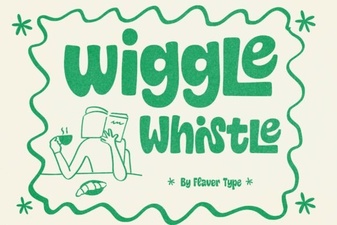 Whistle Font for Creative Typography & Logo Design
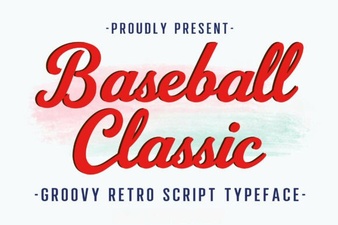 Design a Team Logo with Baseball Classic Font
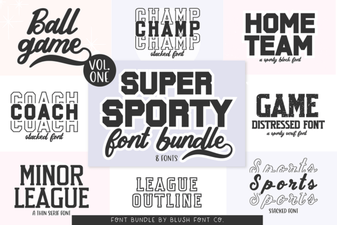 Super Sport Bundle: Design Your Athletic Projects
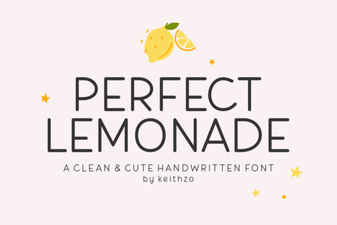 Crafting with the Perfect Lemonade Font
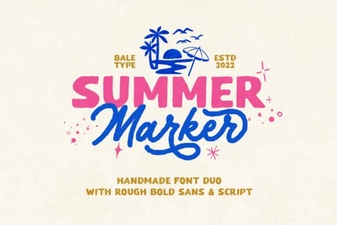 Summer Marker Font Styles: Design Ideas & Applications
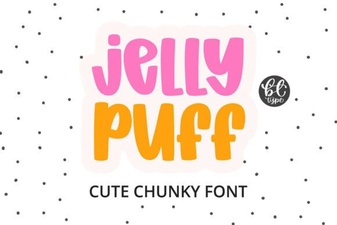 Jelly Puff Font: Creative Designs & Ideas