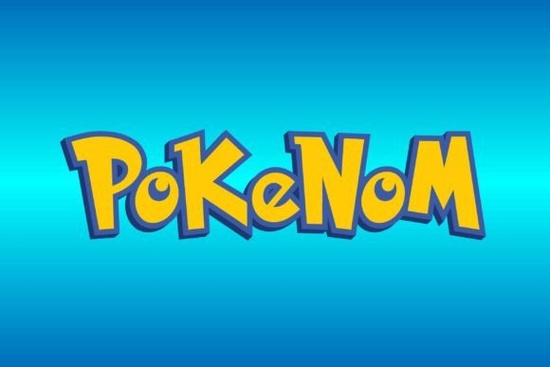
When you are working on print-on-demand apparel or designing titles for indie games, finding the right typography sets the mood instantly. The Pokenom Font offers a playful, gothic-crafted look that draws heavy inspiration from classic cartoon aesthetics. With 96 meticulously designed glyphs and 95 characters, it gives crafters and graphic designers plenty of flexibility for movie posters, T-shirt graphics, and gaming logos. If your project requires bold, animated lettering that catches the eye, this typeface provides a solid foundation without feeling too rigid.
What types of projects work best with a cartoon gothic typeface?
Thick, illustrative fonts naturally draw attention, making them ideal for products aimed at younger audiences or pop culture fans. Print-on-demand sellers often use these bold letters for graphic tees featuring nostalgic themes. The rounded edges and stylized curves in this specific font make it highly readable even when printed on textured fabrics like canvas or heavy cotton.
Indie game developers also benefit from this style. A strong title screen needs a logo that communicates the genre immediately. If you are building a platformer or a lighthearted adventure game, these letters convey a sense of fun. You might also find this style useful for YouTube thumbnails, Twitch channel art, or merchandise for content creators who focus on animation and gaming.
If you enjoy this bold aesthetic, you might also like browsing our collection of gothic-crafted decorative styles to see how different weights and curves can alter the overall vibe of a project.
How do you pair animated lettering with other typography?
Working with a highly stylized typeface means you need to balance it carefully. Because the letters already carry a lot of visual weight, pairing them with another complex font can make your design look cluttered and difficult to read.
- Use simple sans-serifs for body text: Keep the descriptive text clean. A basic geometric sans-serif will provide a quiet background that lets the main title stand out.
- Contrast with delicate scripts: For a sharp contrast, try balancing heavy letters with something like a floral monogram design to create visual hierarchy. This works especially well on wedding invitations for geeky couples or special event posters.
- Adjust the kerning: Cartoon fonts often look better when the letters are pushed slightly closer together. Tightening the spacing creates a cohesive logo mark rather than a string of disconnected characters.
Which software programs support custom decorative glyphs?
Before buying a new typeface, you need to ensure your design software can access all 96 glyphs. Basic text editors might only show the standard 95 characters, leaving out the special alternate letters and decorative punctuation marks.
Professional graphic designers typically use Adobe Illustrator or Adobe Photoshop. Both programs feature a dedicated glyphs panel that allows you to manually select alternate characters. For crafters making physical products, Cricut Design Space and Silhouette Studio also support custom fonts. You simply install the font file on your computer's operating system, and the crafting software will automatically recognize the new typeface.
Canva users can upload custom fonts if they have a premium account. This is a popular route for small business owners who need to create quick social media graphics without learning complex vector software.
What file formats and licensing details should you check?
Most decorative fonts come in standard OTF (OpenType Font) and TTF (TrueType Font) formats. OTF files generally hold more data, making them better for advanced typographic features, while TTF files are universally compatible across older systems.
Always review the licensing agreement before using a font for commercial purposes. If you plan to sell T-shirts, mugs, or digital templates featuring the typography, you usually need a commercial license. A personal license only covers non-profit projects like birthday cards for family members or personal scrapbooking. Checking the license saves you from copyright issues later on.
How do you prepare this font for physical cutting machines?
If you are using a Cricut or Silhouette machine to cut vinyl decals, thick fonts are highly forgiving. Thin, spindly letters often tear during the weeding process. The chunky nature of a cartoon gothic style means the vinyl stays intact easily.
- Type your word in the design software and select the font.
- Convert the text to a path or outline. This ensures the machine reads the letters as shapes rather than editable text.
- Weld the letters together if you want a continuous decal. This removes the overlapping cut lines between characters.
- Send the design to your cutting machine and use a standard grip mat for smooth vinyl.
Practical Checklist for Your Next Project
- Define the tone of your project to ensure a cartoon aesthetic fits the target audience.
- Download and install the OTF or TTF file on your local drive.
- Open your design software and access the glyphs panel to explore all 96 available characters.
- Pair the main title with a clean, highly legible secondary font for subtitles or details.
- Check the commercial license terms before selling any physical or digital items.
 Elegant Butterfly Monogram Fonts for Creative Projects
 Whistle Font for Creative Typography & Logo Design
 Design a Team Logo with Baseball Classic Font
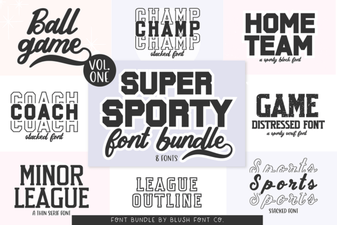 Super Sport Bundle: Design Your Athletic Projects
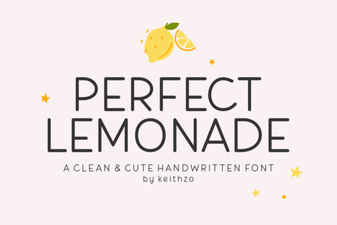 Crafting with the Perfect Lemonade Font
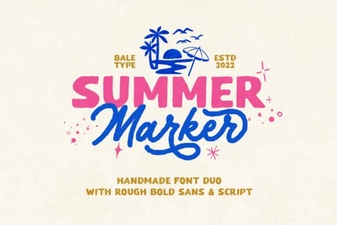 Summer Marker Font Styles: Design Ideas & Applications